Difference between revisions of "Main Page/taiwan"
Jump to navigation
Jump to search
(Created blank page) |
|||
| (7 intermediate revisions by the same user not shown) | |||
| Line 1: | Line 1: | ||
| + | ==Download Instructions== | ||
| + | [https://drive.google.com/u/0/uc?id=17tmMcdHoieMJsgCMoc_7taXGwM3x_1IK&export=download Here] | ||
| + | Extract to: <code>C:\Falcon BMS 4.35\Data</code> | ||
| + | |||
| + | Edit and add line to: <code>C:\Falcon BMS 4.35\Data\TerrData\TheaterDefinition\theater.lst</code> | ||
| + | |||
| + | <code>Add-On Taiwan\Terrdata\theaterdefinition\Taiwan.tdf</code> | ||
| + | |||
| + | ==For those who want to have Taiwan in Tacview== | ||
| + | |||
| + | |||
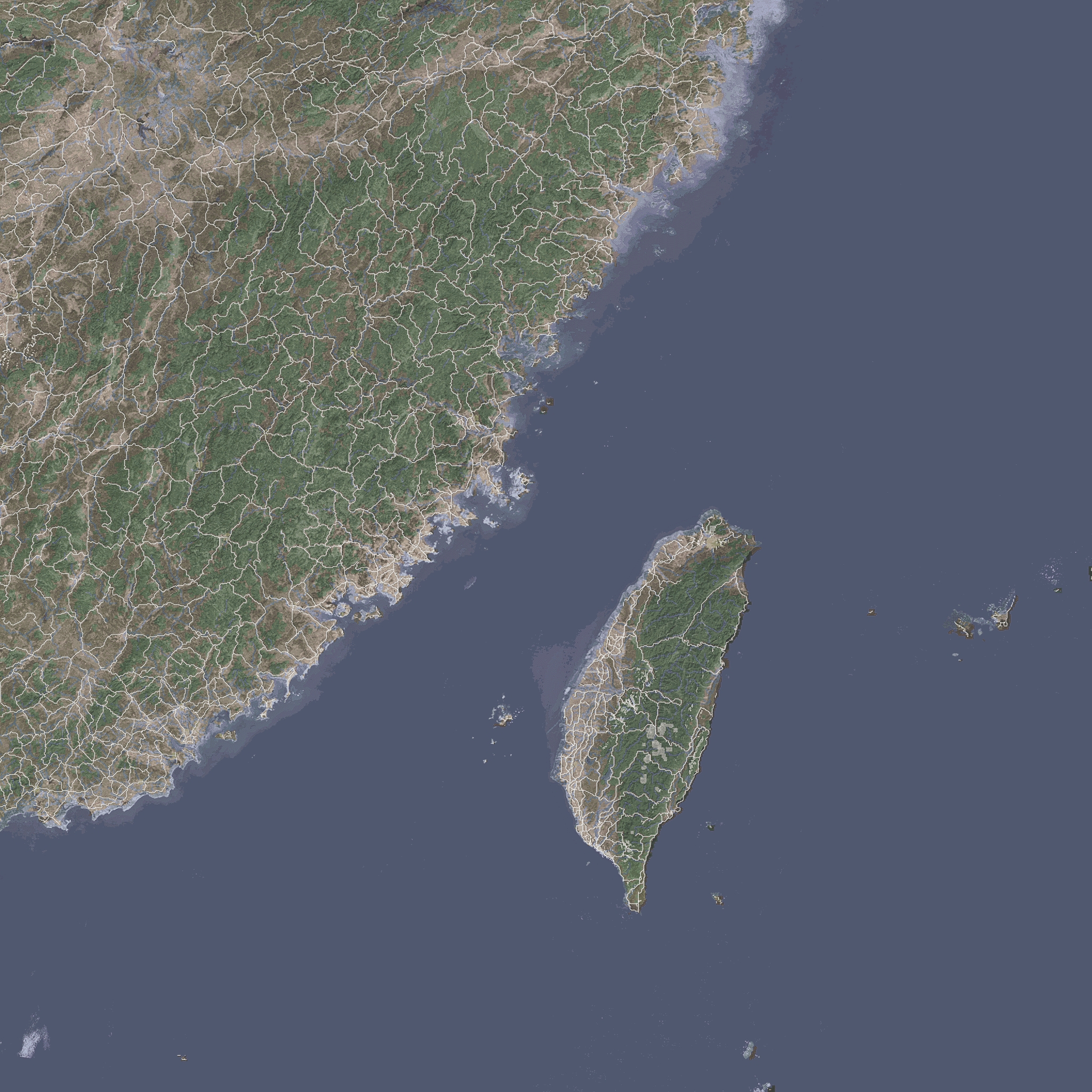
| + | [https://codex.uoaf.net/images/6/6d/TaiwanMap.jpg Download and copy the map] into <code>'''C:\Program Files (x86)\Tacview\Data\Terrain\Textures'''</code> | ||
| + | |||
| + | and edit the following files: | ||
| + | |||
| + | <code>'''C:\Program Files (x86)\Tacview\Data\Terrain\Textures\CustomTextureList.xml'''</code> | ||
| + | |||
| + | Add the following lines: | ||
| + | <code><CustomTexture Layer="Falcon 4"> | ||
| + | <File>TaiwanMap.jpg</File> | ||
| + | <BottomLeft> | ||
| + | <Longitude>115.0</Longitude> | ||
| + | <Latitude>20.33</Latitude> | ||
| + | </BottomLeft> | ||
| + | <BottomRight> | ||
| + | <Longitude>125.35</Longitude> | ||
| + | <Latitude>20.33</Latitude> | ||
| + | </BottomRight> | ||
| + | <TopRight> | ||
| + | <Longitude>125.35</Longitude> | ||
| + | <Latitude>29.41</Latitude> | ||
| + | </TopRight> | ||
| + | <TopLeft> | ||
| + | <Longitude>115.0</Longitude> | ||
| + | <Latitude>29.41</Latitude> | ||
| + | </TopLeft> | ||
| + | </CustomTexture></code> | ||
| + | <code>'''C:\Program Files (x86)\Tacview\Data\Xml\Data-Falcon4Theaters.xml'''</code> | ||
| + | |||
| + | Add the following lines: | ||
| + | |||
| + | * If you do not use default install path, modify <code><terrain></code> and <code><database></code> elements to point to your taiwan install | ||
| + | |||
| + | <code><Theater ID="Taiwan"> | ||
| + | <Terrain>C:\Falcon BMS 4.35\Data\Add-On Taiwan\Terrdata\terrain\</Terrain> | ||
| + | <Database>C:\Falcon BMS 4.35\Data\Add-On Taiwan\Terrdata\Objects\</Database> | ||
| + | <TileSet>POLAK</TileSet> | ||
| + | <LOD>2</LOD> | ||
| + | <West>115.0</West> | ||
| + | <East>125.35</East> | ||
| + | <South>20.33</South> | ||
| + | <North>29.41</North> | ||
| + | <Visible>1</Visible> | ||
| + | <TimeZone>+8</TimeZone> | ||
| + | </Theater></code> | ||
| + | |||
| + | ==and for the WDP (to have those knee-boards)== | ||
| + | edit: | ||
| + | <code>Weapon_Delivery_Planner_3.7.17.163\Database\Theater.xml</code> | ||
| + | <Theater Num="16"> | ||
| + | <Id>16</Id> | ||
| + | <Base>16</Base> | ||
| + | <Name>Taiwan</Name> | ||
| + | <NameIdx>Taiwan</NameIdx> | ||
| + | <Map>Taiwan</Map> | ||
| + | <Location>\Add-On Taiwan\Campaign\</Location> | ||
| + | <DefLat>20.33</DefLat> | ||
| + | <DefLong>115</DefLong> | ||
| + | <ThrSize>1024</ThrSize> | ||
| + | <Height>3358699.5</Height> | ||
| + | <Width>3358699.5</Width> | ||
| + | <North>29.41</North> | ||
| + | <South>20.33</South> | ||
| + | <East>125.35</East> | ||
| + | <West>115</West> | ||
| + | </Theater> | ||
| + | ^adjust Theater Num and ID and Base to your consecutive theatre number | ||
Latest revision as of 17:40, 25 September 2021
Download Instructions
Extract to: C:\Falcon BMS 4.35\Data
Edit and add line to: C:\Falcon BMS 4.35\Data\TerrData\TheaterDefinition\theater.lst
Add-On Taiwan\Terrdata\theaterdefinition\Taiwan.tdf
For those who want to have Taiwan in Tacview
Download and copy the map into C:\Program Files (x86)\Tacview\Data\Terrain\Textures
and edit the following files:
C:\Program Files (x86)\Tacview\Data\Terrain\Textures\CustomTextureList.xml
Add the following lines:
        <CustomTexture Layer="Falcon 4">
            <File>TaiwanMap.jpg</File>
            <BottomLeft>
                <Longitude>115.0</Longitude>
                <Latitude>20.33</Latitude>
            </BottomLeft>
            <BottomRight>
                <Longitude>125.35</Longitude>
                <Latitude>20.33</Latitude>
            </BottomRight>
            <TopRight>
                <Longitude>125.35</Longitude>
                <Latitude>29.41</Latitude>
            </TopRight>
            <TopLeft>
                <Longitude>115.0</Longitude>
                <Latitude>29.41</Latitude>
            </TopLeft>
        </CustomTexture>
C:\Program Files (x86)\Tacview\Data\Xml\Data-Falcon4Theaters.xml
Add the following lines:
- If you do not use default install path, modify
<terrain>and<database>elements to point to your taiwan install
<Theater ID="Taiwan">
  <Terrain>C:\Falcon BMS 4.35\Data\Add-On Taiwan\Terrdata\terrain\</Terrain>
  <Database>C:\Falcon BMS 4.35\Data\Add-On Taiwan\Terrdata\Objects\</Database>
  <TileSet>POLAK</TileSet>
  <LOD>2</LOD>
  <West>115.0</West>
  <East>125.35</East>
  <South>20.33</South>
  <North>29.41</North>
  <Visible>1</Visible>
  <TimeZone>+8</TimeZone>
</Theater>
and for the WDP (to have those knee-boards)
edit:
Weapon_Delivery_Planner_3.7.17.163\Database\Theater.xml
<Theater Num="16">
        <Id>16</Id>
        <Base>16</Base>
        <Name>Taiwan</Name>
        <NameIdx>Taiwan</NameIdx>
        <Map>Taiwan</Map>
        <Location>\Add-On Taiwan\Campaign\</Location>
        <DefLat>20.33</DefLat>
        <DefLong>115</DefLong>
        <ThrSize>1024</ThrSize>
        <Height>3358699.5</Height>
        <Width>3358699.5</Width>
        <North>29.41</North>
        <South>20.33</South>
        <East>125.35</East>
        <West>115</West>
    </Theater>
^adjust Theater Num and ID and Base to your consecutive theatre number